
How it works
From the first appliance to an approved repair, all on a phone.
1. Inspect on a phone
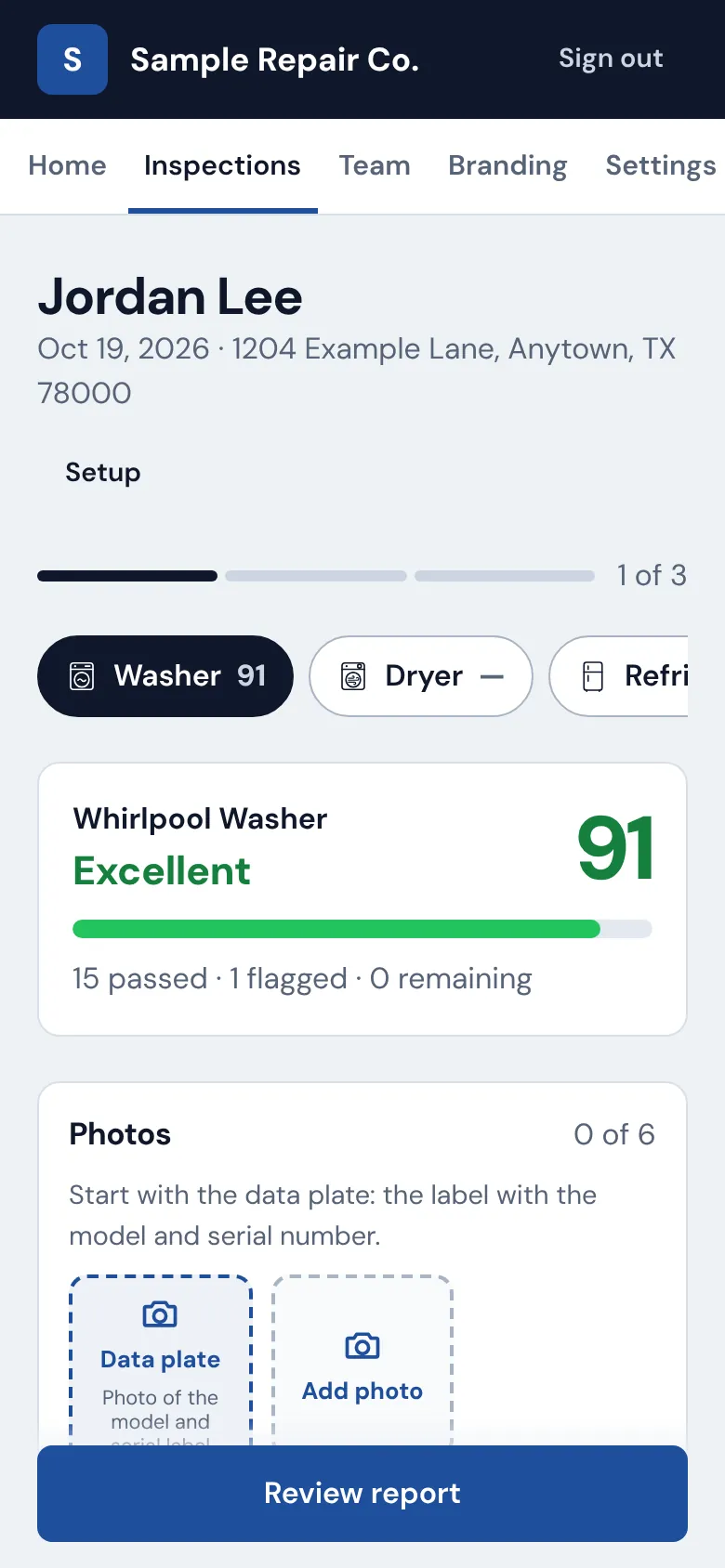
Score each appliance from a checklist, photograph the data plate and problem spots, and add repair prices. If the signal drops, it saves and sends later.
2. Get a branded report
A health score for the home, a rating for each appliance, photos and estimates, in your logo and colors. A PDF is made too.
3. Your customer approves
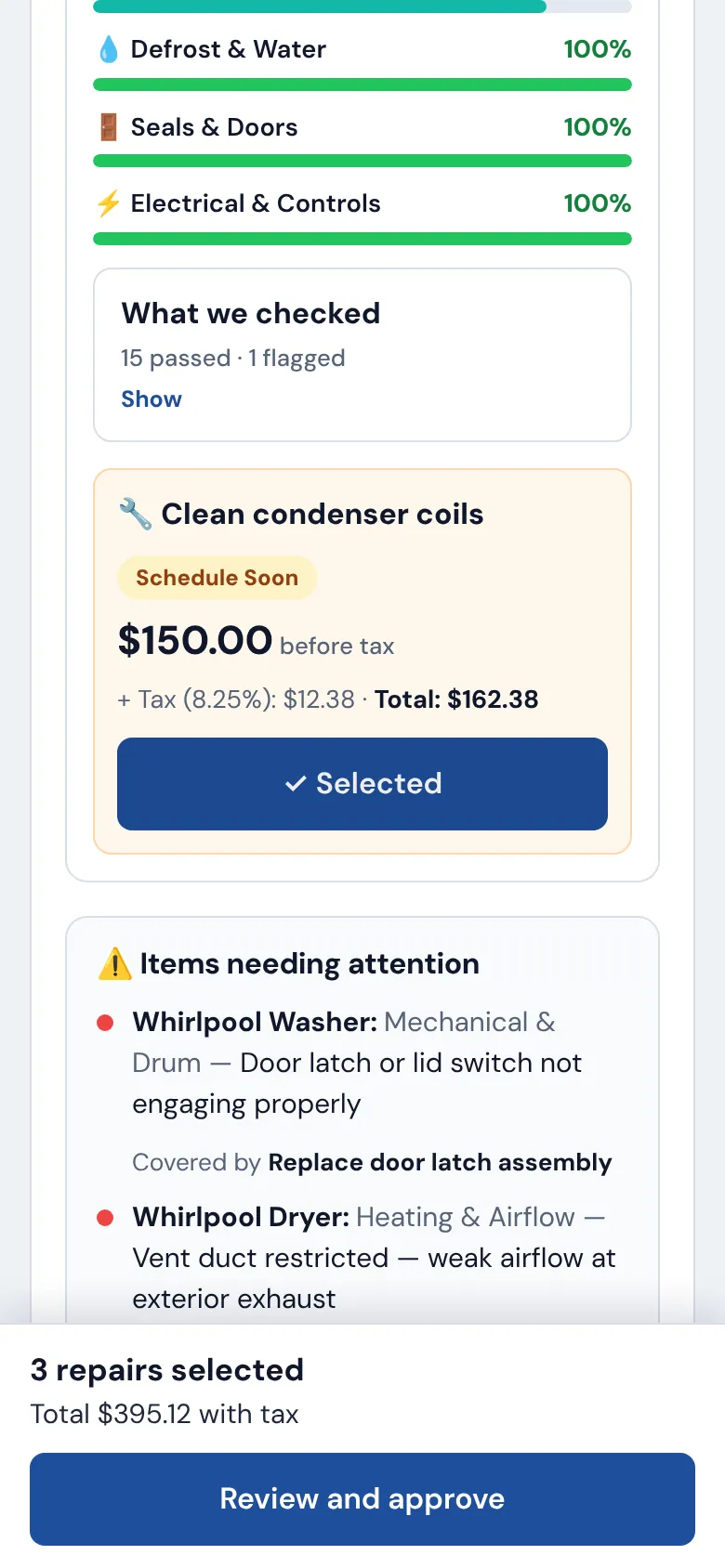
They open a link or scan a QR code. No account and no app. They can approve one repair or several at once.
4. You hear right away
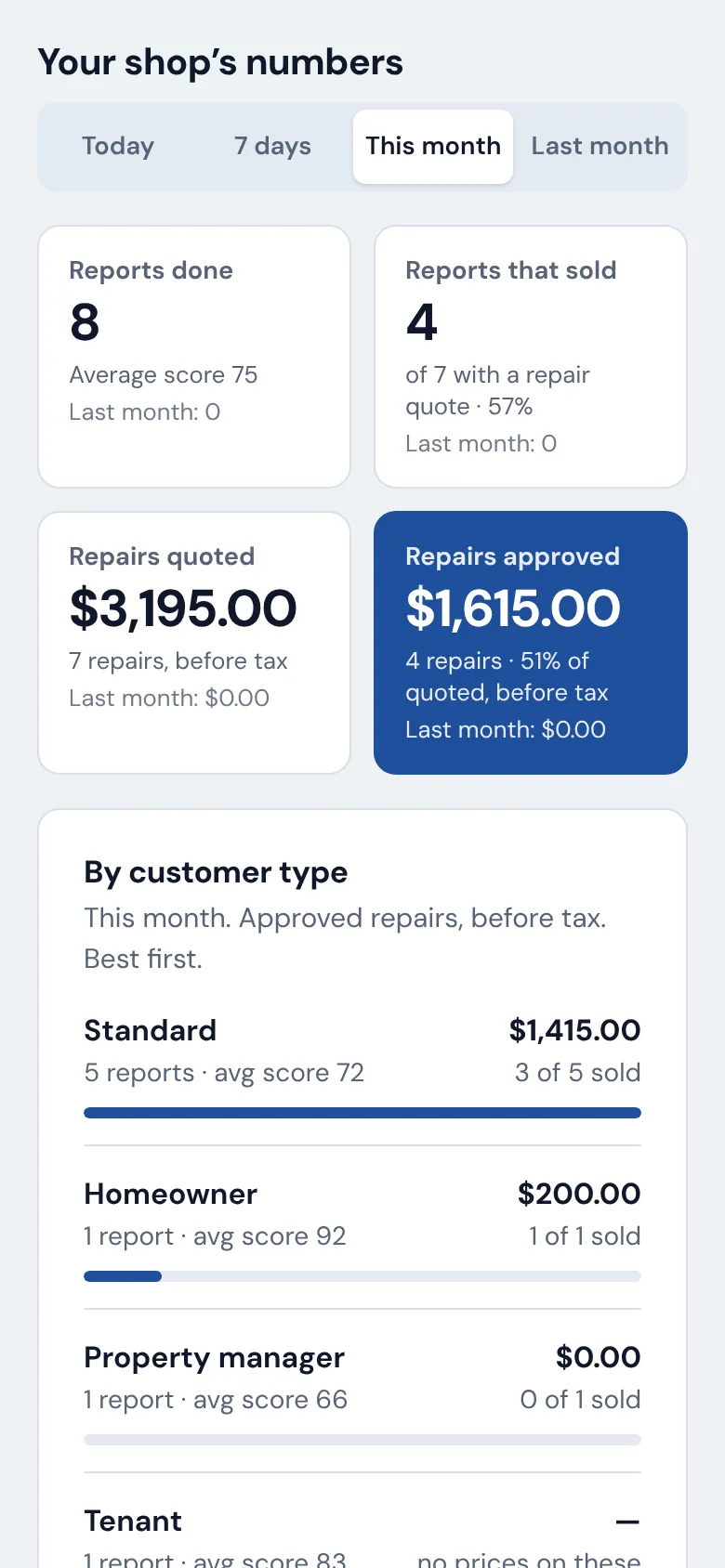
An email arrives the moment they approve. Your dashboard tracks reports, approved dollars and your approval rate.
See every part in the feature tour, or open a sample inspection report.
What your customer sees
A clean report in your shop’s name, on their own phone. They never have to sign up for anything.
- A link or a QR codeIt opens in their phone’s browser. No account, no app.
- Plain findingsA score for each appliance, what was found, and the price of each repair.
- One repair or severalThey tick what they want, see one total, and approve with one name.
- Your name on every pageYour logo and colors on Pro and Premium. Premium also removes ours.
- A PDF copyMade from the same inspection, with your branding.
The real app, not a mockup
Three screens from ScoreStack. The shop and customer are made up.
More screens on the features page.
Four kinds of report, one app
Pick the one that fits the person you are inspecting for. Each has its own screen layout and PDF.
Standard
Your everyday repair customer. A scored report with repair estimates they can approve.
Homeowner
A yearly appliance checkup that shows how each appliance is aging.
Property manager
A unit turnover report at move-out, so nothing is missed before the next tenant.
Tenant
A move-in record of how everything was found.
Starter includes the Standard report. Pro and Premium include all four. You can also offer an inspection as a paid service to property managers and homeowners who are not repair customers yet.
Built for the truck, not the office
Keeps going when the signal drops
Once the app is open, an inspection is saved on the phone and sent the moment it is back online.
Approve several repairs at once
Customers tick the repairs they want, see one total, and approve with one name.
Your name on everything
Your logo and colors on the report, the PDF and the customer page. Premium removes ours.
See what is working
Reports, approved dollars and approval rate, by technician and by type of customer.
Simple monthly pricing
Every plan has unlimited inspections. Every new shop starts with a 7-day free trial with Pro features unlocked. No credit card.
Starter
For a small crew getting started
$29per month
- Up to 3 technicians
- Unlimited inspections
- Standard report
- PDF reports and customer links
- Standard support
Reports show a small “Powered by ScoreStack” badge.
Start free trialPro
All four reportsFor a shop with a team
$59per month
- Up to 5 technicians
- Unlimited inspections
- All four report types
- Your logo and colors
- PDF reports and customer links
- Priority support
Reports show a small “Powered by ScoreStack” badge.
Start free trialPremium
For a shop that wants it all its own
$99per month
- Unlimited technicians
- Everything in Pro
- Reports emailed to your customers automatically
- Reminders for repairs your customers have not approved
- ScoreStack name removed from your reports
- Priority support and dedicated onboarding
No ScoreStack badge on your reports.
Start free trial
Prices are per month, in US dollars. Cancel any time. You keep access until the end of the period you paid for. Compare the plans side by side.
Questions
Do I need a credit card to try it?
No. Sign up and use everything Pro includes for 7 days.
What happens when the trial ends?
You pick a plan. If you do not, your account goes read-only for a short time and then locks. Nothing is deleted, and your customers’ report links keep working.
Does my customer need to install anything?
No. They open a link or scan a QR code on their phone. There is no account and no app.
Can I use my own logo and colors?
Yes, on Pro and Premium, and during the trial. Starter reports use ScoreStack’s standard look.
Does it work without cell service?
Yes, once the app is open on your phone. If the signal drops in the middle of an inspection, keep going. The report is saved on the phone and sent when it is back online.
Can my technicians use it too?
Yes. Invite them from the app and each one gets their own sign-in. Starter allows up to 3 technicians, Pro up to 5, and Premium has no limit.
Can I cancel?
Yes, any time, from the Plan screen in the app. You keep access until the end of the period you paid for.
Does it replace my scheduling or invoicing software?
No. ScoreStack handles the inspection and the approval. Keep using whatever you use for scheduling, dispatch and invoices. Here is how the two fit together.
Built by a repair shop
ScoreStack comes from a working appliance repair shop in Austin and Dallas, Texas. It was made for the way a technician actually works: on a phone, in a kitchen, often with spotty signal. More about ScoreStack.