
What is in the report
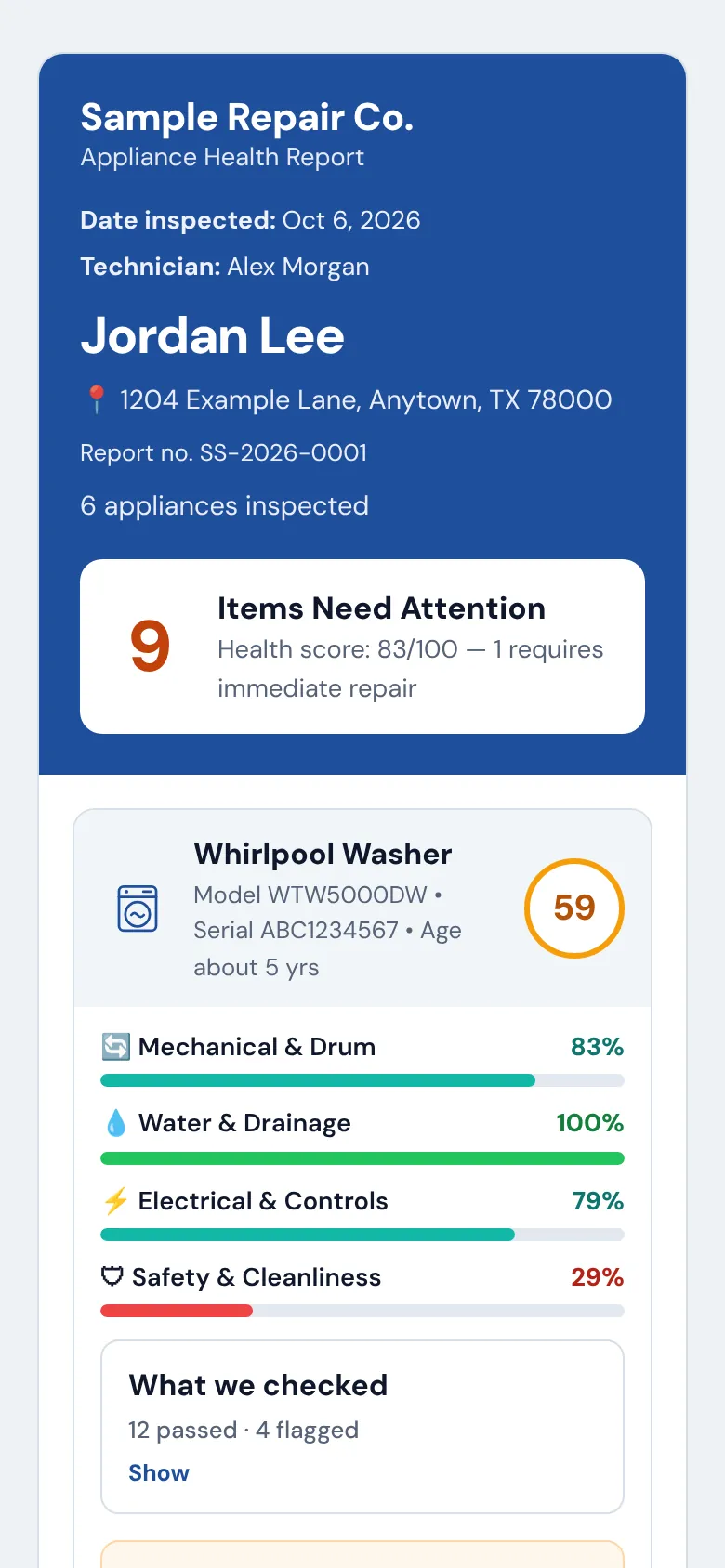
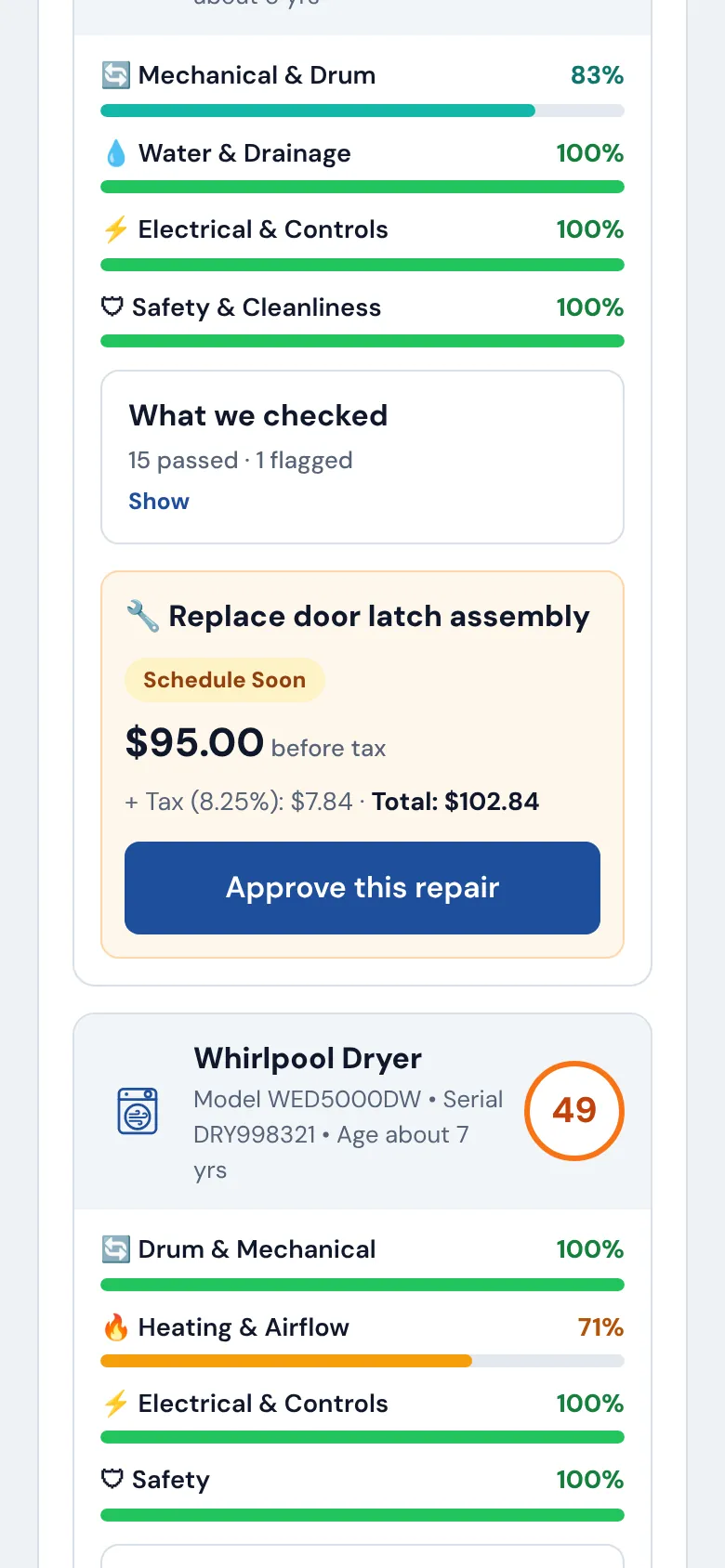
One scrollable page on the customer’s phone, with your shop’s name at the top.
- Your banner. Logo, shop name, the date, the technician and the customer’s name and address.
- The headline. How many items need attention, and a health score out of 100 for the whole visit.
- Each appliance. A rating ring, the brand, model, serial number and age, and a bar for each part of the checklist.
- What was found. Every flagged item in plain words.
- Repair estimates. A price for each repair, sales tax, and how urgent it is.
- What we checked. The full checklist, with what passed, what was flagged and what did not apply.
- A report number, like STD-1001.
The rating scale
Every appliance and the whole visit get the same five ratings.
| Score | Rating | What it tells the customer |
|---|---|---|
| 90 to 100 | Excellent | Performing at a high level. Routine maintenance will keep it running strong. |
| 75 to 89 | Good | In good working order. A few areas could benefit from attention. |
| 55 to 74 | Fair | Noticeable issues that should be addressed to prevent further deterioration. |
| 30 to 54 | Poor | Significant problems detected. Prompt repair is strongly recommended. |
| 0 to 29 | Critical | Serious issues detected. Continued use may be unsafe or cause further damage. |
Repairs, priced in the report
The customer reads the problem and the price together.
- Each repair shows its price, tax and total.
- A label says whether it is Repair now, Schedule soon or Monitor.
- On a link, the customer can approve right from the report. See how approval works.
- Photos are in your copy of the report and in the PDF. The customer’s link page shows the findings and prices without photos.
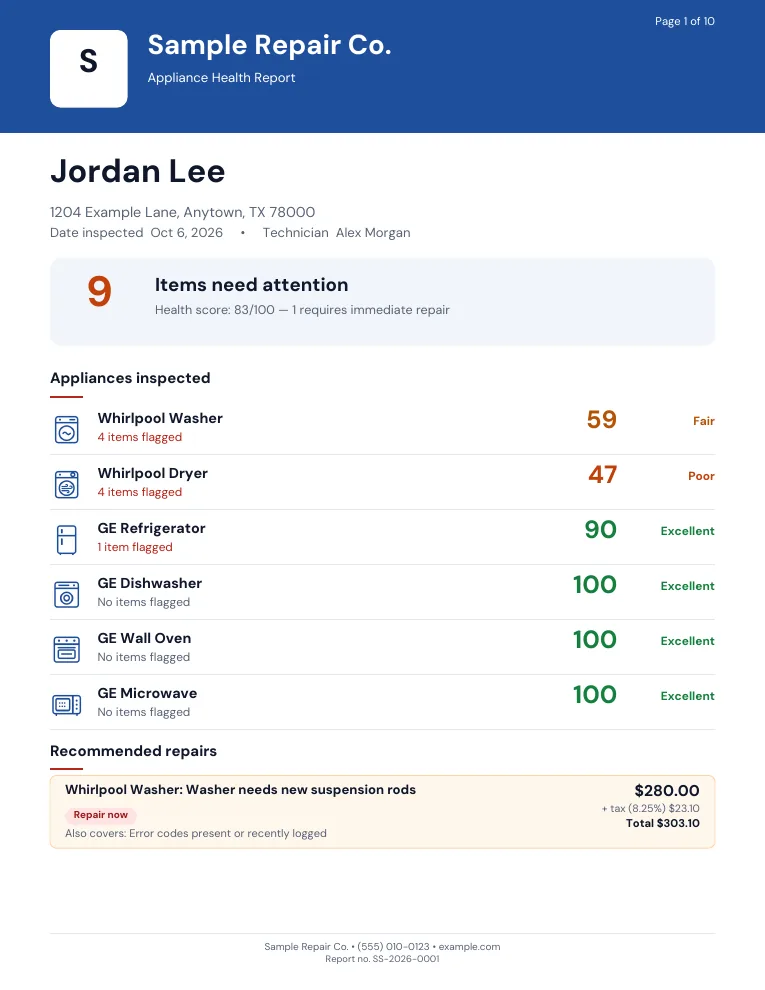
A PDF made from the same inspection
For the customer’s files, a landlord, or the shop’s own record.
- Letter-size pages with real text, so even long reports stay light on a phone.
- Page one is the summary. Each appliance starts on its own page.
- Each appliance page ends with the full checklist.
- A QR code that opens the customer’s approval page prints under the report.
- Your logo and colors on Pro and Premium.
Four kinds of report
The Standard report is for your everyday repair customer. The others fit other customers.
Homeowner
A yearly appliance checkup that shows how each appliance is aging.
Property manager
A unit turnover report: move-in compared with move-out.
Tenant
A record of how everything was found at move-in.